Terminal > Blocks
Sticky Command Header
Pin the running command at the top of the screen when scrolling through large Block outputs.
Tell me about this feature: https://docs.warp.dev/terminal/blocks/sticky-command-header/
How to access sticky command header
Section titled “How to access sticky command header”- Sticky Command Header is enabled by default.
- Toggle Sticky Command Header by going to Settings > Features > General > toggle “Show sticky command header”.
- Toggle by searching for “Sticky Command Header” within the Command Palette or by pressing
⌘+Ctrl+S. - You can also “Toggle Sticky Command Header in Active Pane” with
Ctrl+S. This won’t disable the feature entirely, only minimize it on the active session.
- Sticky Command Header is enabled by default.
- Toggle the Sticky Command Header by going to Settings > Features > General > toggle “Show sticky command header”.
- Toggle by searching for “Sticky Command Header” within the Command Palette or by setting up a key bind in Settings > Keyboard shortcuts.
- You can also “Toggle Sticky Command Header in Active Pane” in the Command Palette or by setting up a key bind in Settings > Keyboard shortcuts. This won’t disable the feature entirely, only minimize it on the active session.
- Sticky Command Header is enabled by default.
- Toggle the Sticky Command Header by going to Settings > Features > General > toggle “Show sticky command header”.
- Toggle by searching for “Sticky Command Header” within the Command Palette or by setting up a key bind in Settings > Keyboard shortcuts.
- You can also “Toggle Sticky Command Header in Active Pane” in the Command Palette or by setting up a key bind in Settings > Keyboard shortcuts. This won’t disable the feature entirely, only minimize it on the active session.
How to use sticky command header
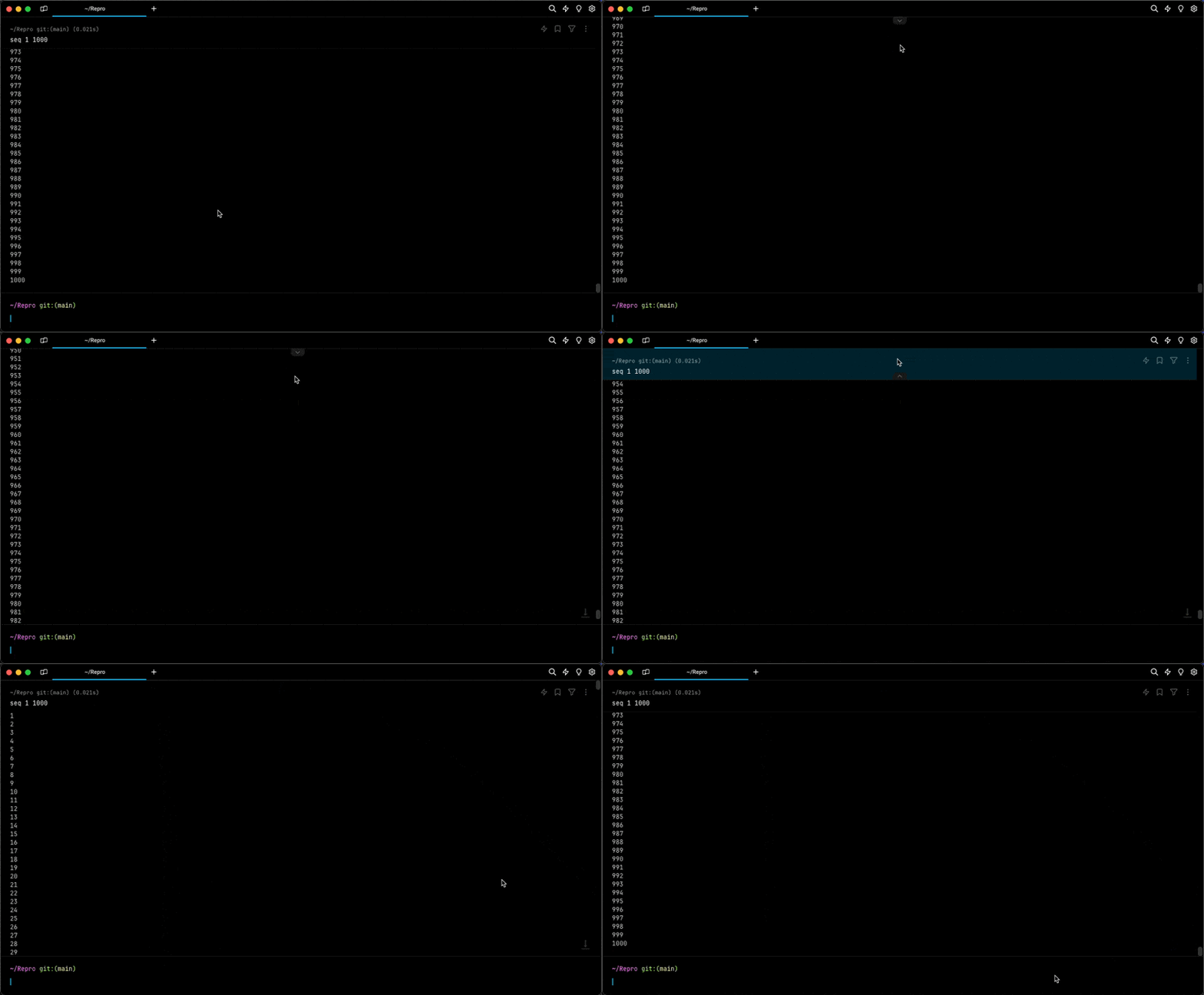
Section titled “How to use sticky command header”- If a Block has a large output ( e.g.
seq 1 1000), the header of the Block will show on the top of the active Window, Tab, or Pane. - Click on the Sticky Command Header to quickly jump to the top of the Block.
- While active you can also minimize the Sticky Command Header on the active pane by clicking the UP/DOWN arrow in the middle of the header.
How sticky command header works
Section titled “How sticky command header works”